Home / Resources

Product training.

The Furnisys product training used with our channel partners: the product family, what each series offers, why the series doesn't define the application, and how to configure a workstation step by step.

Module 1

The Furnisys product family.

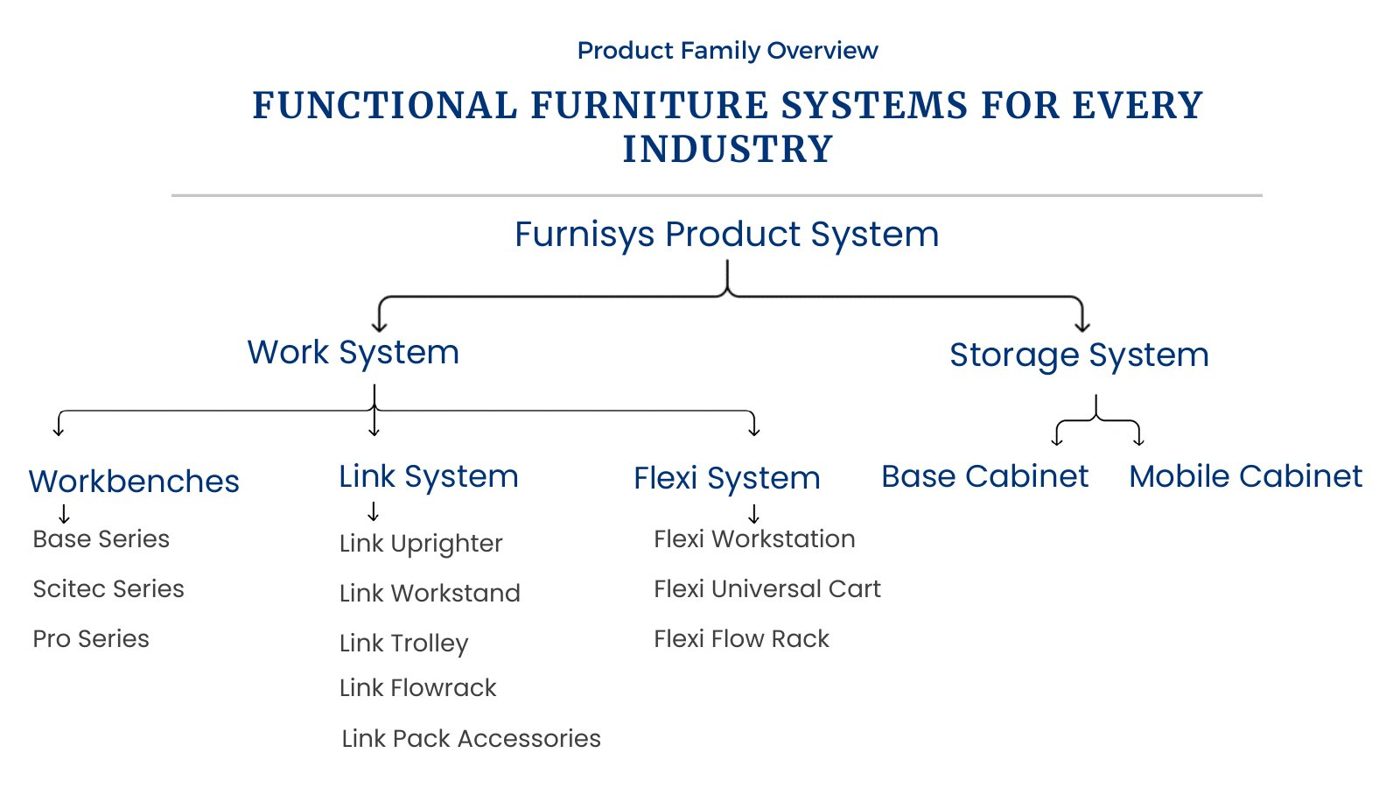
Everything sits in two systems. The work system covers workbenches (Base, Scitec, Pro), the Link System and the Flexi System. The storage system covers base cabinets and mobile cabinets.

Furnisys product family tree: work system and storage system

Module 2: series features and benefits.

Select a slide to view it full size.

  • Base Series
  • Pro Series
  • Scitec Series
  • Link uprighter
  • Link workstand
  • Link trolley
  • Link flow rack
  • Link packing bench
  • Flexi workstation
  • Flexi universal cart
  • Flexi flow rack
  • Base cabinet
  • Mobile cabinet

Module 3: the series doesn't define the application.

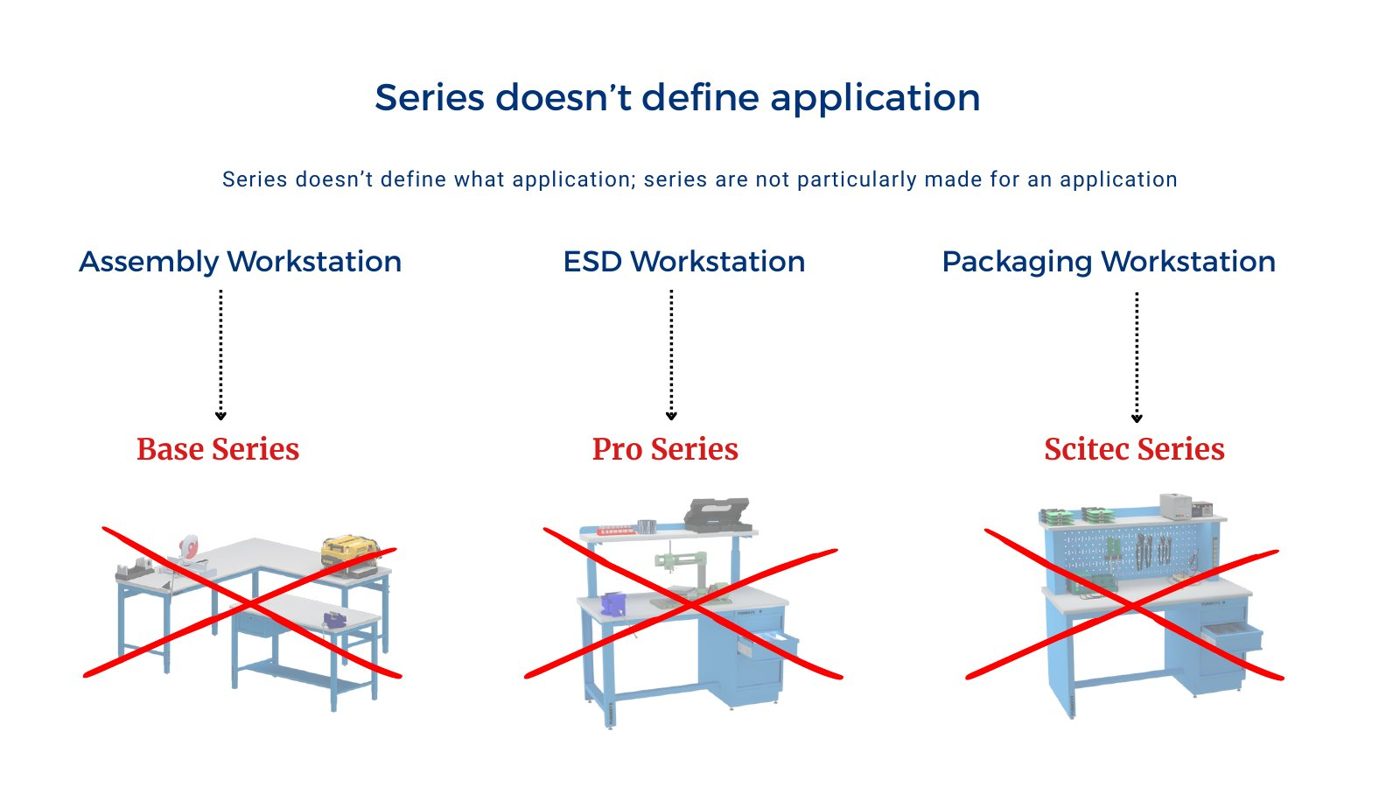
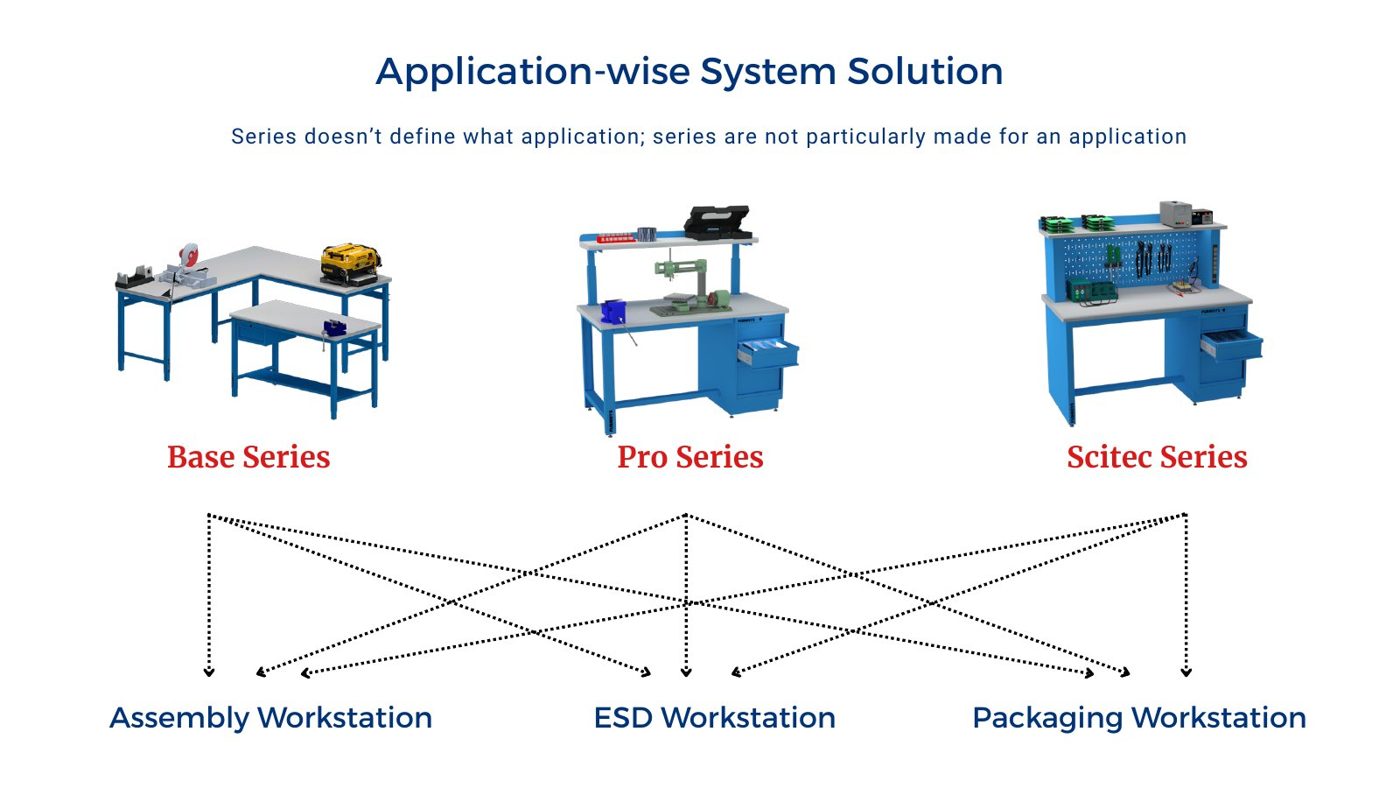
Each series has its own features, but none is fixed to one application. The same assembly, ESD or packaging workstation can be built on Base, Pro or Scitec, depending on the industry, the space and the load.

A series is not tied to one application
Any series can be configured for any application

Module 4: assembly and kitting worked examples.

Valve assembly workstation configuration drawing
Base Series

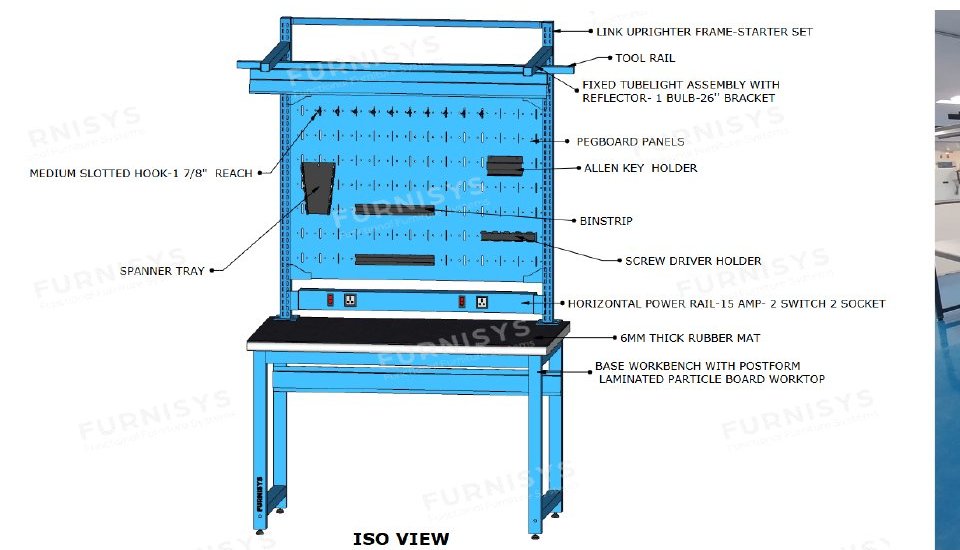
Valve assembly workstation

Operators assembled valves with multiple hand tools, pneumatic tools and many small components. A modular workbench with integrated tool organisation and accessory support kept tools and components within easy reach as production expanded.
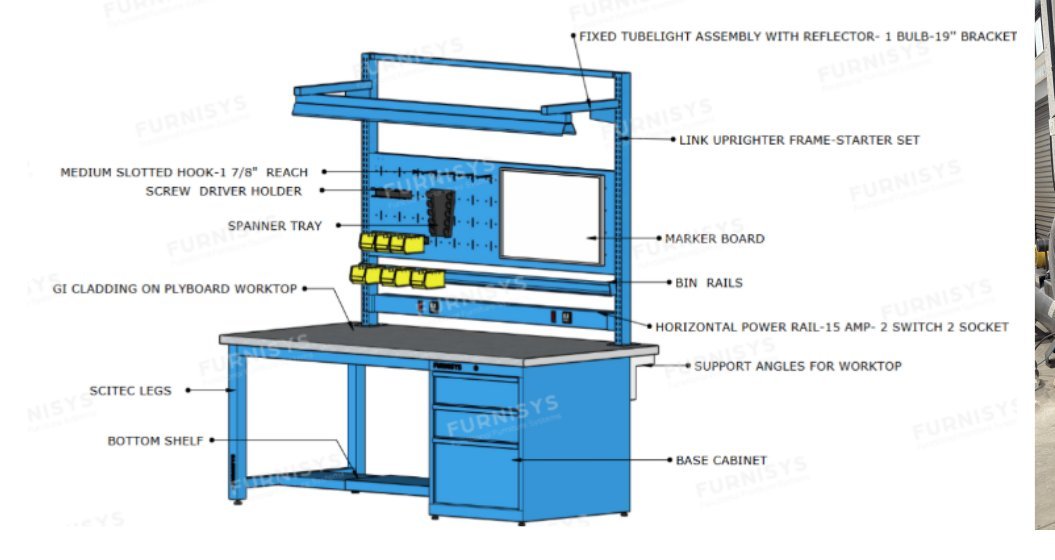
Industrial valve assembly workstation configuration drawing
Scitec Series

Industrial valve assembly workstation

Operators handled precision components, fastening tools and inspection instruments. A workstation with integrated storage, lighting, power access and adjustable levelling gave a stable, reliable work surface even on uneven flooring.

Pro Series with Link uprighter

Premium bicycle assembly workstation

Technicians fitted, aligned and adjusted components with bicycle-specific tools. Workstations with integrated base cabinets and the Link uprighter system kept tools, spare parts and consumables within easy reach.

Flexi System

Jewellery packing and kitting workstation

Operators sorted and prepared jewellery components and packaging into complete kits. A Flexi universal cart with adjustable shelving and an integrated worktop maximised storage and kept materials accessible for several operators.

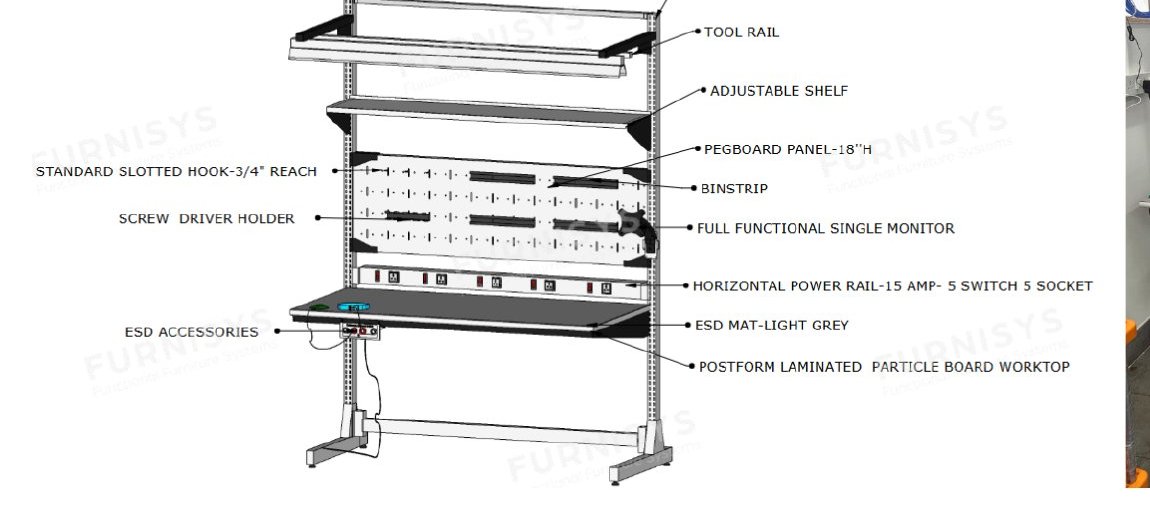
PCB assembly workstation configuration drawing
Link System

PCB assembly workstation

Operators soldered LED PCBs and fitted them into housings. A Link workstand with ESD protection and integrated accessories protected sensitive components and kept assembly tools within reach.

Module 5

How to configure a workstation.

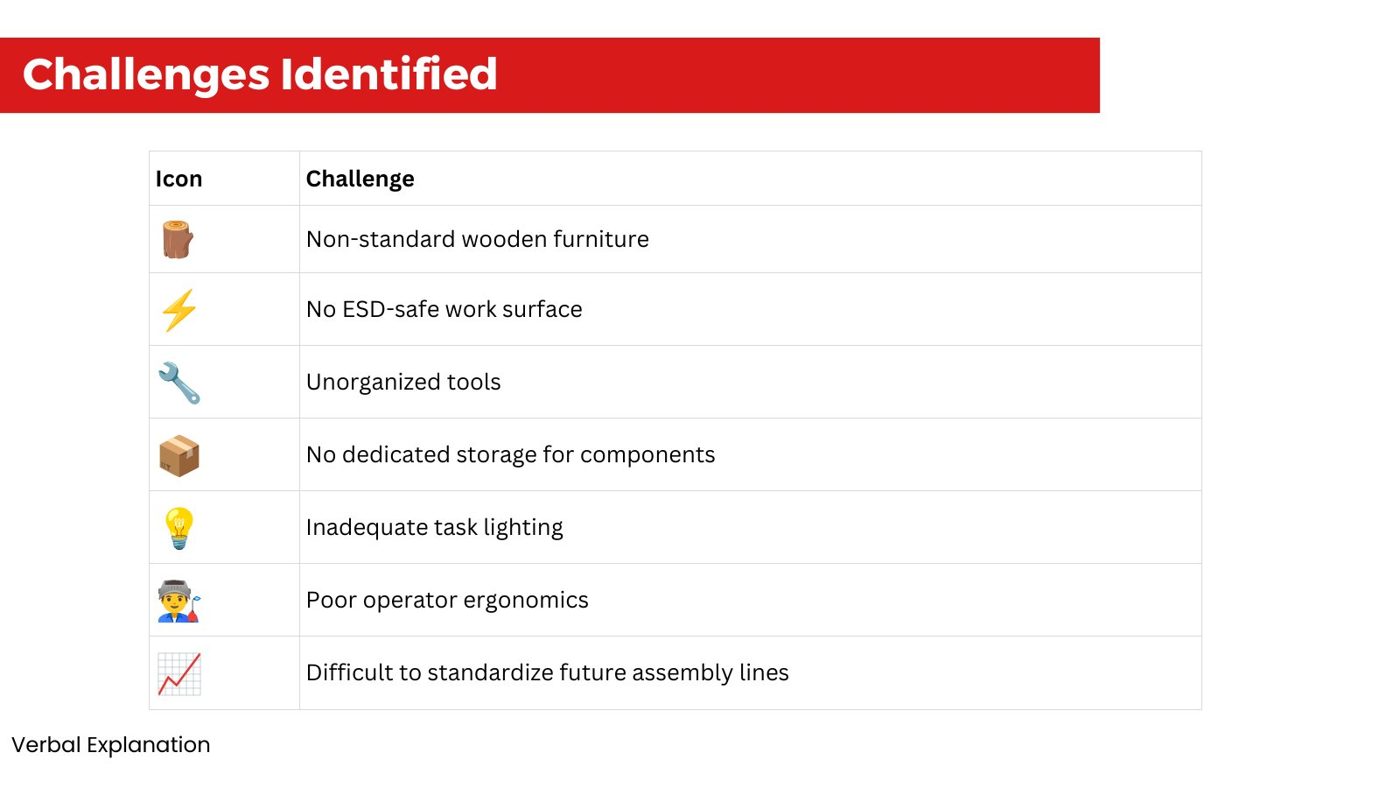
Start from the enquiry: what is assembled, the tools used, the load and the space. In the training example, a manufacturer of gas detection equipment worked on non-standard wooden furniture with no ESD-safe surface, scattered tools, no component storage, poor lighting and poor ergonomics.

Challenges identified in the existing assembly area
  1. Select the series

    Choose by application, load-carrying capacity and the dimensions required.

  2. Select the worksurface

    Choose length, depth and worktop material to suit the task.

  3. Select below-worksurface parts

    Choose 2 legs, 1 leg with a cabinet, or 2 cabinets, plus stringers, bottom shelves and hanging cabinets.

  4. Select above-worksurface accessories

    Add back and end stops, riser shelves, mats and Link uprighter components.

  5. Select the colour

    Pick one of the five standard powder coat colours.

Module 6: suggested sales workflow.

For channel partners: the six stages from first contact to confirmed order.

  1. Prospecting

    Identify potential organisations and the buyer persona.

  2. Pitch

    Introduce Furnisys solutions based on the customer's needs.

  3. Lead analysis

    Understand the requirement and propose the right solution.

  4. Price proposal

    Share a quotation based on the proposed solution.

  5. Negotiation and review

    Agree pricing, terms and specifications.

  6. Order closure

    Receive the purchase order with shop drawing approval and advance.

Become a channel partner

Let's plan the right setup for your team.

Share your space, the work done in it and any drawings you have. We'll suggest a configuration and a layout.

Chat on WhatsApp